All Stories
Showing posts with label Plugins. Show all posts

Friday, 16 May 2014

How to Optimize and Speedup Your WordPress Blog or Website

If you go through for the blogging platforms, WordPress is the best and popular platform to start your newblogging career as currently 18 – 20 % website means more than ten millions webmaster are using WordPress for their Business, Blogging, and e-commerce websites. Because there are lot of things which makes it more valuable and that are easy to install and its use, content management system (CMS), external plugins installation, easy to optimize for search engines with third party plugins and more but besides also some bad comments for its performance that’s why my today’s topic is about the more important thing which is also comes in search engine optimization and that is how to increase WordPress blog loading speed.

how to optimize wordpress speed
how to speed up wordpress blog

How to Optimize and Speedup Your WordPress Blog or Website

After few lines about its functions now we are going to our topic, in this post I will tell you some best tips, tricks and guides for better optimization and best ways to increase loading speed of your WordPress blog/website.

WordPress Plugins

WordPress plugins are the best way to make it more easier for content management. But here my topic is speeding up your WordPress blog so if you have installed such plugins which are not in use or may they harm your WordPress blog speed you must uninstall and check the alternate method to solve same problem. Therefore, there is some external plugins such as P3 (Plugin Performance Profiler) to check your installed WordPress plugins show the complete details about the installed plugin which plugins are creating disturbance and slowing your blog.

Responsive and Mobile Theme

You will find everywhere on the internet about new technology and mobile devices and every new week we find new mobile device launched by some popular companies. It is also observed and come in knowledge that there are more internet users of mobile than desktop and computer device. So, it’s very necessary that you blog or website is must mobile optimized and have a Responsive theme.

Web Hosting

If you search Google for cheep hosting, you will find thousands of hosting providers which are providing unlimited hosting with very cheap prices but in blog speedup case you will not find your hosting package is going well for your blog so its very necessary before purchase hosting you check and find review for the best hosting providers.

Minify and Combine JavaScript and CSS

After the updates in computer languages and new versions, there is different tools are being introduced to minify and combine JavaScript and CSS sheets by compressing for reducing blog loading timing. You can easily minify and Combine JavaScript and Combine CSS with the by installing external WordPress plugins.

Cache

Another major issue, also happened with me just last night (at the time of writing this article). Enabling cache on your WordPress blog /website will give you better performance for loading speed. You can use the WP Super Cache or W3 Total Cache to control cache issues easily.

Compression

To reducing WordPress Loading your blog must have WP HTTP compression tool. It will help you to reduce 60 – 80 % loading time and give the better result to your coming visitors.

Image Compression

It is the need of every article to have an image or images. Because as blogger, we share step by step tutorials and guides in which we have to add so many images that make blog page heavy in loading but if you compress your image before upload from or use the Smush.it, it will compress all your blog image and reduce its sizes to improve the performance and loading speed of your WordPress blog.

Bottom Lines

At the end after applying and following the above tips tricks for reducing WordPress blog loading time, you must check you blog speed on google pagespeed tool and check the difference. For further inquiry, you can ask by replying in this article.

Posted at Friday, May 16, 2014 |  by Unknown

Top Best Social Media Plugins for WordPress Blog 2014

This Running month, I have the second topic for WordPress Blogging platform to extend your knowledge and get most out from WordPress recently I have shared an article for optimization and speeding up WordPress blogand now my topic is for best social media plugins to use in WordPress blog for increasing social signals and make your visitors to share your valuable written contents within their social media friends and send you more visitors.

Best Social Media Plugins for WordPress
Social Media Tricks to Promote Business

 Top 9 Best Social Media Plugins for WordPress Blog

There are so many benefits of using the social media plugins and widgets on website/blog page as always we want more exposure after writing some valuable contents and if your blog has the plugins for contents sharing within the social media platforms i.e. facebook, twitter, google+ you will get more visitors and readers for your contents as well as also help you to increase your search engines optimization score. Therefore, If you are using WordPress for blogging and want more exposure and notice on your contents you will like the following list of social media sharing and bookmarking plugins.

Floating Social Media Icon

This is really awesome and must have plugin for blogging niche as it has floating features means it will be always in eyes of your visitors as well as it has also other features to place it in certain place. Its attraction will force visitors to follow your social media pages and follow your blog through social media.

Social Media Feather

Very simple and lightweight social media plugin having both sharing and following options for social media ids and pages. This plugin has a good thing i.e. it will not affect on loading speed of your WordPress blog because of its simplicity.

Scrolling Social Sharebar

It has seven different top usable social media sharing buttons i.e facebook, twitter, google+, linked in stumbleupon etc. it you want more publicity and exposure of your written contents within these social media websites. You must have installed this plugin in your WordPress blog.

Sharexy – powerful social sharing and bookmarking tool

It is another great and powerful sharing and bookmarking tool to get most out from social media websites.

Social Toolbar

Very attractive social media tool for WordPress Blog. Social Toolbar has features to show your latest tweets from twitter and also have option show all social media profiles or you particular social profile to follow.

Bottom Lines.

As we all blogger need something new, some of us need simple buttons and some are looking for attractive and fancy social media buttons. So the above list have both options so its up to you what are going you to select. Hope you will like and file helpful the above social media plugins for your WordPress blog

Posted at Friday, May 16, 2014 |  by Unknown

The 7 Best Social Media Sharing Plugins for WordPress 2014

The Best Social Media Sharing Plugins for WordPress

Social media has been integrated into every part of our internet experience. Whether you are viewing a video on YouTube or reading an article on CNN, you will see a section on the page that allows you to share content through social media services.
The reason websites promote social media sharing is because so much traffic can be generated from it. In my recent article “How To Leverage Social Media On Your Blog“, I pointed out that traffic from social media services is second only to traffic from search engines.
If that is not enough to convince you to add social media sharing buttons to your websites, listen to some of the facts that Alicia Lawrence from Search Engine People published a few months ago:
  • 74% of marketers saw an increase in traffic after spending just 6 hours per week on social media
  • 50% of Internet users are active on Facebook
  • 52% of marketers have gained a customer through Facebook, and 35% have done so through Twitter
  • Google+ has the most visits per month at 1,203 million
  • Social media is growing in popularity with older populations
The reality for website owners in 2014 is that if you do not place social media sharing buttons on your website, you are less likely to have your content shared by others. This means you are leaving a lot of traffic and money on the table.
In this article, I would like to show you some great social media sharing plugins for WordPress that will allow your visitors to share your content with others.

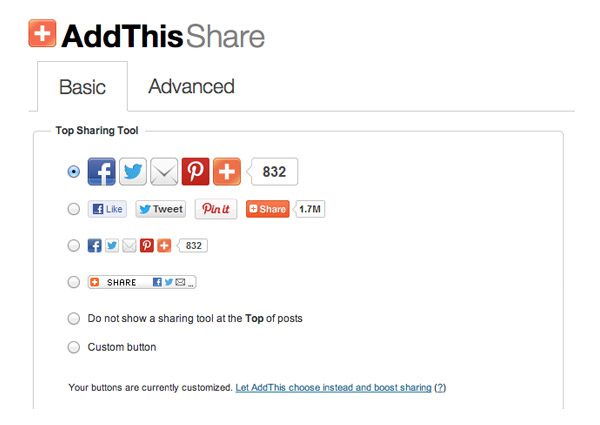
1. AddThis

Founded way back in 2004, the AddThis service supports over three hundred social media services. The WordPress plugin allows you to choose from a variety of icon sizes and designs.
If you sign up to AddThis.com, you can also see analytical data on what people are sharing. While the plugin is free to use, there is a premium service available that costs $12 per month and features additional widgets and options, such as a floating media sharing bar.
You can see the plugin in action in the Elegant Themes blog right now. Check out the floating bar to the left hand side of this page :)
AddThis
With around two million downloads, AddThis is one of the most popular sharing plugins for WordPress.

2. ShareThis

Launched in 2005, ShareThis has been a big player in social media sharing for many years. The WordPress plugin offers a host of small and large social media icons and designs. Users can share your content in over one hundred and twenty services.
Analytical reports are also provided and there is a feature called CopyNShare that lets you track when a visitor copies your page URL.
ShareThis
The ShareThis service offers a lot of great features such as analytics, mobile support and the ability to track what visitors are copying and sharing.

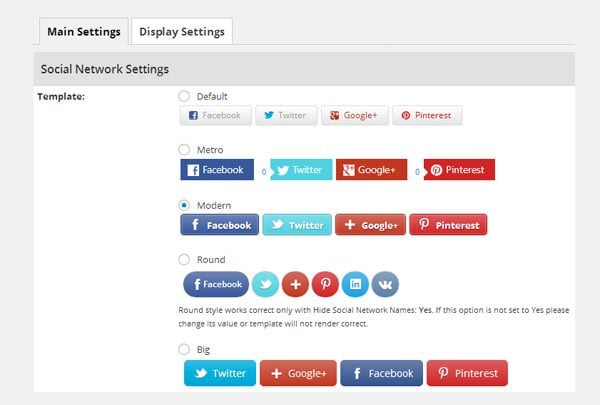
3. Easy Social Share Buttons

Easy Social Share Buttons is a stylish sharing solution that is available from CodeCanyon for $12. It allows visitors to share content using one of eight social media services. Content can also be shared via email.
Several button designs are available, each of which displays the number of times a page has been shared. The buttons can be displayed in a variety of positions including the top and bottom of posts, sidebar and via a pop up.
Easy Social Share Buttons
Easy Social Share Buttons supports nine social media networks, eight built-in templates and sharing reports.

4. Ultimate Social Deux

Ultimate Social Deux is a new social media sharing solution that I have been testing on my blog. Also available from CodeCanyon for $12, it allows you to add social media buttons as a floating social media bar and the top and bottom of your content area.
The plugin allows you to change the color of buttons, however there is only one design available. One of the reasons I like the plugin is because it uses lightweight Javascript and CSS to ensure buttons load quickly.
 Ultimate Social Deux
Ultimate Social Deux is a fast sharing solution that uses light Javascript and CSS.

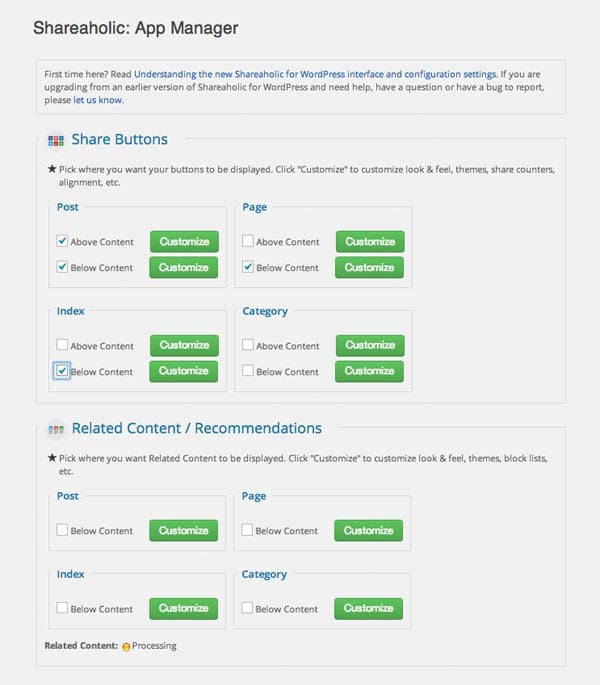
5. Sharaholic

Known for years as Sexy Bookmarks, Sharaholic boasts many different layouts, sizes, themes and counter styles. The plugin provides reports on your sharing activity and can display related content to visitors.
Sharaholic
Sharaholic allows images to be shared on social media.

6. Social Sharing by Danny

If you are looking for something basic, check out Social Sharing by Danny. The plugin adds basic sharing buttons for Twitter, Facebook and Google+. 16×16 or 32×32 pixel buttons can be selected and added to your posts automatically, via a shortcode or hard-coded into your templates using PHP.
Social Sharing by Danny
Social Sharing by Danny is a simple solution that many of you will love.

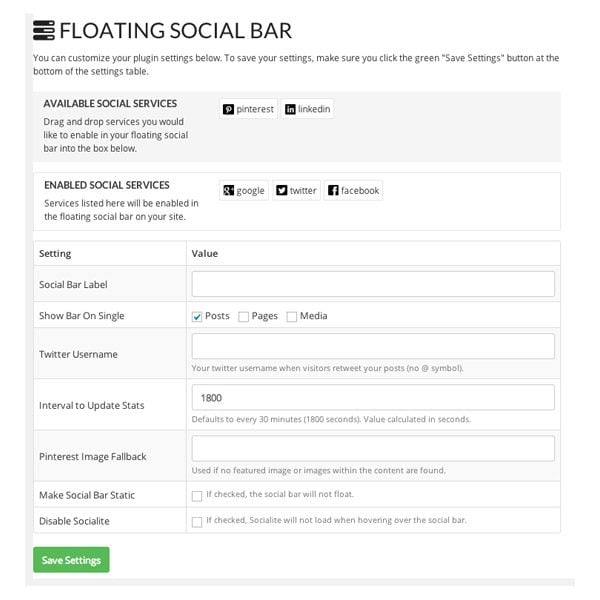
7. Floating Social Bar

WPBeginner’s Floating Social Bar plugin is a sharing solution that supports Google+, Twitter, Facebook, LinkedIn and Pinterest.
At first glance, it looks like a basic solution that only adds sharing buttons to the top of your blog posts, however it has a few nice features. Rather than slowing down your page by loading official sharing buttons, the plugin displays fast loading icons. It will only load the official sharing buttons once a user hovers over an icon. This means that the plugin adds no weight to the initial page load (the technique is known as asynchronous loading).
Floating Social Bar Settings
Floating Social Bar supports five social media services.
Another nice feature is the ability to display sharing buttons at the top of the page once a user has scrolled down the page. It ensures that the buttons are displayed to visitors at all times.
Floating Social Bar Buttons
The plugin uses the official sharing buttons.

8. Jetpack by WordPress.com

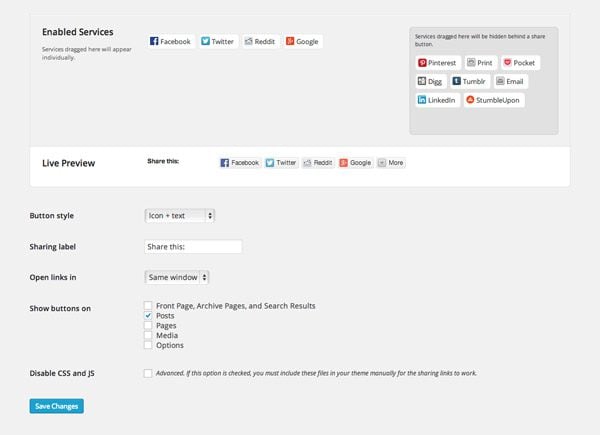
Truth be told, I am trying to stop using Jetpack on my websites as the plugin has been known to slow down pages. There is, however, no denying the versatility of the plugin. Additionally, with around nine million downloads tracked on WordPress.org, the chances are that many of you have the plugin installed already. As such, you may want to consider using its sharing module.
The module gives you a lot of options on how visitors share your content. You can choose from ten popular social media services and print and email. Official sharing buttons can be displayed. Alternatively, if you want to improve the loading time of your pages, you can choose to show text links and/or icon images.
Jetpack by WordPress.com
The social sharing module of Jetpack supports ten social media services, print and email.
I hope you enjoyed this look at social media sharing plugins. If so, I encourage you to subscribe to Elegant Themes for updates about our latest articles.
I apologise if your favorite social media service did not make the list. There are dozens out there to choose from, therefore I wanted to focus on a select few. Be sure to leave a comment and share with fellow readers your existing sharing solution as it will help us all find out about other great solutions :)

Posted at Friday, May 16, 2014 |  by Unknown

Ad

Receive all updates via Facebook. Just Click the Like Button Below

?

Dapatkan Widget Ini Di Muhammad Yousaf | Simple SEO Tips @ Blogger Tips

Blogger template. Proudly Powered by Blogger.
back to top